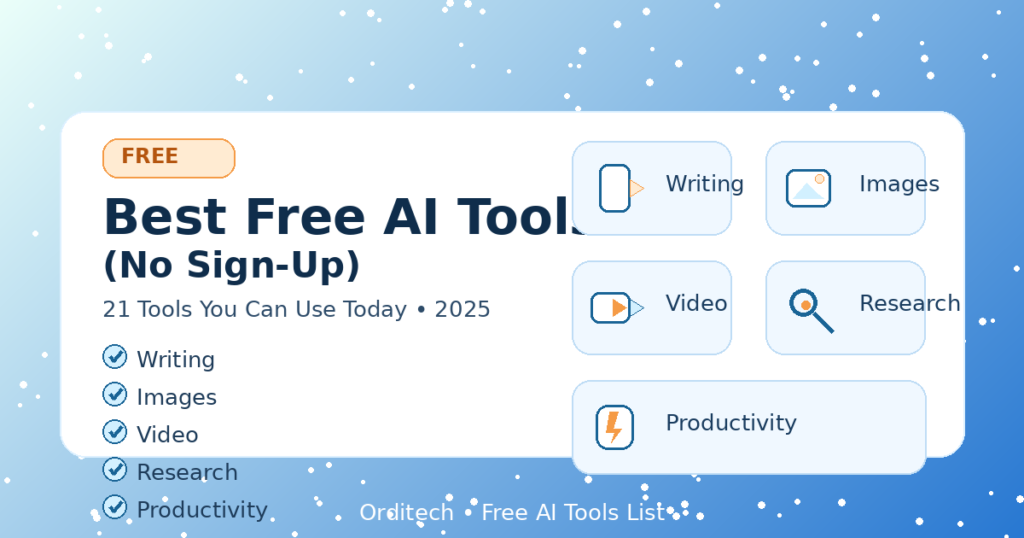

Best Free AI Tools (No Sign-Up): 21 Tools You Can Use Today (2025)
Free AI tools are everywhere—but many require accounts, trials, or credit cards. In this list, I’m focusing on tools that are free to try quickly and are useful for real work: writing, images, video, productivity, and learning.
Note: Some tools may add limits or require sign-up later. I’ll update this list as tools change.
Quick Table: What You’ll Find
- Writing & rewriting
- Images & design
- Video & audio
- Productivity & research
- Developer + data helpers
1) Writing & Editing Tools (7)
1) Grammarly (free plan)
Best for: fixing grammar, clarity, tone
Use it for: emails, resumes, blog drafts
2) Hemingway Editor
Best for: making writing simple and readable
Use it for: blog posts, explanations
3) QuillBot (free)
Best for: paraphrasing and quick rewriting
Use it for: rephrasing sentences (don’t use for copying others)
4) LanguageTool (free)
Best for: grammar/spell check + multi-language support
5) Google Docs “Help me write” / smart suggestions (if available)
Best for: quick drafting and suggestions inside Docs
6) Notion AI (trial/free features vary)
Best for: turning notes into summaries and checklists
7) Microsoft Copilot (free access varies by region)
Best for: quick questions, summaries, and brainstorming
2) Image & Design Tools (6)
8) Canva (free)
Best for: thumbnails, social posts, simple designs
Use it for: blog featured images
9) Remove.bg (free previews)
Best for: removing backgrounds from photos fast
10) Adobe Express (free plan)
Best for: quick banners, thumbnails, social graphics
11) Photopea (free)
Best for: Photoshop-style editing in browser
12) Google ImageFX / labs tools (availability varies)
Best for: experimenting with image generation
13) Figma (free)
Best for: UI mockups, simple design systems
3) Video & Audio Tools (4)
14) CapCut (free)
Best for: short videos, captions, TikTok/Reels editing
15) Descript (free features)
Best for: editing audio/video like a document
16) ElevenLabs (free trial)
Best for: realistic voice generation (limited)
17) Otter.ai (free plan)
Best for: meeting notes/transcription (limited)
4) Productivity & Research (3)
18) Google Lens
Best for: quick “what is this?” + image-based search
19) Perplexity (free plan)
Best for: research-style answers (always verify sources)
20) Google Trends
Best for: finding what people search in the USA
Use it for: picking new blog topics
5) Developer & Data Helpers (1)
21) GitHub Copilot / Code assistants (free options vary)
Best for: code suggestions and learning patterns
Tip: Use it to learn, not to blindly copy.
How to Pick the Right Free AI Tool (fast checklist)
Choose tools based on your goal:
- Blogging / writing: Grammarly + Hemingway
- Thumbnails: Canva + Remove.bg
- Short video: CapCut
- Research: Perplexity + Google Trends
- Study notes: Notion/Docs helpers
FAQs
Are free AI tools safe?
Mostly yes, but don’t upload sensitive personal data. Always read tool privacy terms.
Do these tools stay free forever?
Not always. Many change limits or require sign-up later.
Can I use these tools for business?
Usually yes, but check each tool’s license/terms if you’re using outputs commercially.
Final Thoughts
If you’re starting today, build a simple stack:
Canva (design) + Grammarly (writing) + CapCut (video) + Google Trends (ideas).

Hi, this weekend is nice in favor of me, for the reason that this occasion i am reading this enormous informative piece of writing here at my house.
Thank you so much for your kind words! I’m glad you found the article informative and helpful. I’ll continue sharing more useful AI tools and guides. Stay connected
Have you ever thought about adding a little bit more than just your articles? I mean, what you say is important and all. But just imagine if you added some great visuals or video clips to give your posts more, “pop”! Your content is excellent but with images and video clips, this blog could definitely be one of the very best in its niche. Terrific blog!
Thank you so much for your valuable feedback and kind words! I really appreciate your suggestion. I’ll definitely work on adding more visuals and video content to make the articles more engaging and helpful. Thanks again for your support!
Hello there, You’ve done an incredible job. I will definitely digg it and personally recommend to my friends. I’m confident they will be benefited from this website.
Thank you so much for your kind words and support! I truly appreciate you recommending the website to your friends. I’m glad you found it helpful, and I’ll continue sharing more valuable content.
Appreciate this post. Will try it out.
Thank you! I’m glad you found it helpful. Let me know how it works for you!
Pingback: Claude AI in Iran Strikes? What We Know (March 2026 Update) - orditech.info
Oh my goodness! Awesome article dude! Many thanks, However I am going through troubles with your RSS. I don’t know the reason why I am unable to join it. Is there anyone else having identical RSS problems? Anyone who knows the solution can you kindly respond? Thanx!!
WOW just what I was looking for. Came here by searching for mar menor